
Is your box office setup slowing you down?
The days of being tied down to a cash drawer and a clunky computer screen are over. Dead. Finito.
It feels like just a few years ago we still needed to carry a few dollars in our pockets for unexpected expenses - a quick stop at the gas station or a trip to the drive-thru. But today, cash accounts for just 14% of all payments made in the U.S., and a large number of us don’t even carry a credit card anymore…we’re all using digital payments.
The good news is this means you don’t need to be tied down to a traditional point of sale system anymore. Modern events are switching to a mobile POS because they are simpler to use and come with fewer headaches. But what exactly is a mobile POS, and why is it becoming an absolute necessity for event organizers? Let’s break it down.
What Exactly is a Mobile POS?
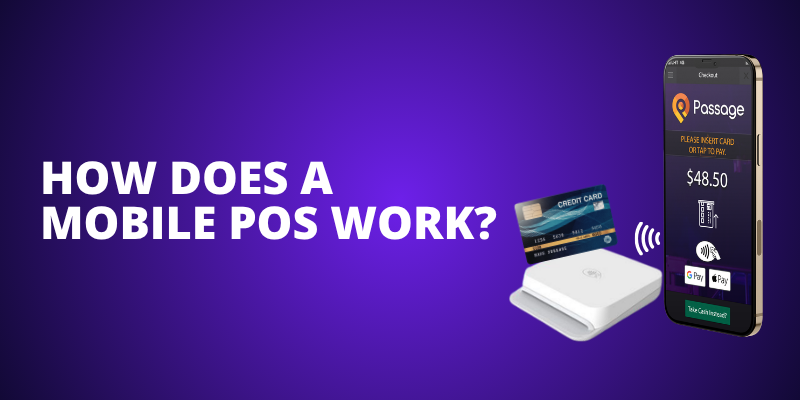
POS stands for "Point of Sale." It’s simply the place where a transaction happens. A mobile POS takes that transaction power and untethers it from a heavy, stationary desk.
Typically, a mobile POS consists of an app downloaded onto a smartphone or tablet, paired with a small, portable card reader. It allows your staff to process payments, scan tickets, and sell merchandise from anywhere on your event footprint…whether they are standing at the main gate, working a remote concession stand, or walking right down the middle of the queue.
Why Your Event Needs a Mobile POS
1. Line Busting
Imagine a busy Saturday night at a popular theater or a sprawling outdoor festival. The queue is daunting. With a mobile POS, your staff doesn’t have to wait for attendees to reach the ticket window. They can physically walk down the line with an iPad or smartphone, selling tickets, processing upgrades, and scanning people in before they even reach the front. You’re reducing guest wait times while making more money.
2. The Need for Speed (and Tap-to-Pay)
Cash is slow. Swiping a card and waiting for a signature is slow. A modern mobile POS allows you to accept Apple Pay, Google Wallet, and contactless tap-to-pay cards. This shaves crucial seconds off every single transaction, keeping your lines moving swiftly and reducing the headache of reconciling cash drawers at 2 a.m. after a long night.
3. Keep Everything in One Place
Why force your guests to wait in one line for a ticket, another line for a t-shirt, and a third line for a drink? A strong mobile POS unifies your sales. Your staff can easily sell a General Admission ticket, upgrade them to a VIP fast-pass, and add a branded hoodie all in the exact same transaction on the same device.
Features You Can’t Compromise On (and How Passage Handles Them)
If you’re evaluating a mobile POS system for your event, here are three non-negotiable features that we’ve built right into the Passage Manager app:
-
Zero-Hardware Tap-to-Pay: You shouldn't be locked into buying expensive, proprietary registers. In fact, you don't even need a card reader at all! The Passage Manager app allows you to use the built-in NFC reader on standard Android (7.0+) and iOS (13+) smartphones. You can accept tap-to-pay cards, Apple Pay, and Google Pay directly on your staff's mobile phones.
-
Hardware Flexibility: If you prefer physical hardware, we've got you covered. You can connect to our dedicated Bluetooth card readers (which handle chip inserts, swipes, and tap-to-pay) or easily enable our Square integration, allowing you to use your existing Square card readers right alongside your Passage ticket inventory.
-
Offline Mode: Event wifi is notoriously unreliable, especially in remote fields or old, thick-walled buildings. Our system features an offline mode so that if your connection drops, your gate never stops.
-
Real-Time Reporting and Customization: You shouldn't have to wait until tomorrow to know if you're hitting capacity. The Passage Manager app updates your ticket and product inventory instantly. You can even toggle features like "Auto Print Receipt" to instantly trigger a connected Star thermal printer, or use purchase notes to collect custom information from walk-up buyers on the fly.
The Bigger Picture: Syncing Sales with Operations
A mobile POS does more than just collect money; it communicates with the rest of your event’s infrastructure. When your sales data is syncing in real-time, it empowers your on-site staff. It makes it incredibly easy to track inventory, keep an eye on crowd capacity, and coordinate your teams. You create a seamless ecosystem where the box office, security, and gate staff are all playing from the exact same playbook.

Ready to upgrade your gate operations? Don't let outdated tech slow down your opening night. Passage’s mobile app gives you all the power of a full box office right in the palm of your hand. Download the Passage Manager app on iOS or Android, or grab one of our Bluetooth card readers from our online shop to get started!
.png?width=800&height=400&name=Clean%20Up%20Your%20Event%20CTA%20(2).png)