
Here's a scene most event organizers know too well: doors open at 7, it's 6:58, and there's already a line forming outside. One staff member is trying to scan tickets on their phone while another is taking cash and making change by hand. Someone's waving a screenshot of a confirmation email. A group of six just showed up with no tickets at all and they want to know if they can buy at the door.
This is door chaos. And it's almost always preventable.
The door is the first real impression your event makes. Get it right and people walk in energized. Get it wrong and they're already annoyed before they've even had a chance to experience your event. Here's how to build an entry operation that actually holds up when it counts.
How Do Pre-Sales Impact Door Operations?
Before getting into equipment and staffing, the most effective thing you can do to improve your door experience is reduce the number of people who need to transact at it.
Every ticket sold in advance is one fewer walk-up to process in real time. Pre-sale buyers have already paid, already have their ticket, and can be scanned and through the door in seconds. Walk-up buyers need to pay, get a ticket, and sometimes troubleshoot a payment issue — all while a line builds behind them.
A few things that consistently move people from walk-up to pre-sale:
-
Early bird pricing. A modest discount for buying in advance gives people a concrete reason to act now instead of at the door.
-
Limited ticket tiers. "Only 40 general admission tickets left" creates urgency that "tickets available at the door" never does.
-
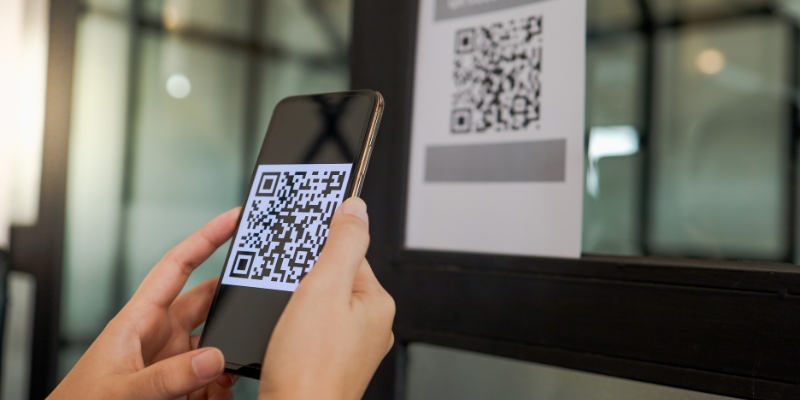
Easy sharing. Passage's Event Quicklinks feature lets you download a QR code directly from your event dashboard that links straight to your ticket purchase page. Print it on flyers, put it on your social posts, stick it on the front door of your venue the week before. The fewer clicks between someone and a purchase, the more of them follow through.
-
Separate entry. If your venue has the space for it, create two separate entry points: one for guests who already purchased tickets and one for box office sales. Ticketholders who pre-purchased can zip right in, and it will streamline things for your team as well.
You won't get everyone to pre-buy. But shifting even 60% of your attendance to pre-sale changes the door experience dramatically.
How Do I Prepare for In-Person Sales?
Door chaos usually starts the night before…or doesn't start at all, which is the problem.
A good door setup takes about 20–30 minutes to prepare. Here's what that looks like in practice:
-
Know your numbers. Pull your pre-sale count before the event. How many tickets have been sold? What types? Are there will-call orders or group reservations to account for? Your door staff should have this information before anyone arrives.
-
Get your scanning ready. The Passage Manager app turns any smartphone or tablet into a ticket scanner and point-of-sale in one. Download it, log in, and do a test scan the night before…not at 6:55 p.m. when doors open. If you're taking card payments at the door, make sure your card reader is charged and paired.
-
Set up ticket type visibility the right way. If you have ticket types that should only be sold in person (staff tickets, comp tickets, late-arriving group packages) Passage now lets you mark those as "Hidden (Admin + In-Person)" so they don't show up publicly on your event page but are available to your team at the door. No workarounds, no confusion about what's available to the public versus what's internal.
-
Print a will-call list as a backup. Technology is reliable until it isn't. Having a printed list of pre-sale buyers is five minutes of work that has saved many event organizers from a real headache when a phone dies or a signal drops.
How Can I Train My Team for In-Person Sales?
Most door problems are staffing problems in disguise. Too often, one or two people are expected to scan, sell, answer questions, and handle problems simultaneously. That's a setup for slowdowns.
For any event with meaningful walk-up traffic, split the door into clear roles:
-
Scanner: dedicated to checking in pre-sale attendees only. Fast, high-volume, no decisions to make.
-
Seller: handles walk-up purchases — card payments, cash, any at-door transactions.
-
Floater: handles questions, group arrivals, troubleshooting, and anything that would otherwise create a bottleneck at the scanner or seller station.
For smaller events, one person can handle scanning and selling if the volume is low. But the moment a line starts forming, the job needs to split. Brief your staff on this before the event, not in the middle of it.
What About Merchandise & Concession Sales?
The door doesn't have to be just a checkpoint — it can be a revenue moment.
If you're selling merchandise, concessions, or add-ons at your event, Passage's point-of-sale handles all of it from the same app your team is already using to scan tickets. That means one device, one system, one place to reconcile at the end of the night, instead of a separate cash box, a separate card reader, and a separate headache.
For self-service sales in the venue (merchandise tables, concession stands, or anywhere you want to let attendees buy without waiting for a staff member) QR codes do the heavy lifting. Download your event's QR code from the Quicklinks feature, print it on signage at your merch table or concession area, and attendees can pull up your event page on their own phone and complete the purchase themselves. It's especially useful for add-ons people decide they want mid-event, without requiring additional staff at every sales point.
What Happens When Things Go Sideways?
Even well-run doors hit snags. What separates a smooth event from a chaotic one is having an answer ready before the question comes up.
The ticket that won't scan. Pull up the attendee's name in your Passage dashboard and check them in manually. It takes ten seconds. Have your floater handle these so the scanner keeps moving.
The group that shows up all at once. Stage them off to the side of the main line and process them as a batch. Don't let a group of twelve hold up the line of two — move the single buyers through while the group gets sorted.
The walk-up who wants to pay cash. If you're accepting cash, have a float ready with change and a clear close-out process for the end of the night. If you've decided to go card-only, post a sign at the entrance before doors open…not after someone's already in line.
The scanner dies. This is why you printed the will-call list. Fall back to name lookup on a second device or on paper until the issue resolves.
Don’t Forget to Close Out at the End of the Night
When the last attendee is through the door and the event is running, it's tempting to leave the financial close for tomorrow. Don't.
Reconcile your door sales the same night: total pre-sale check-ins, total walk-up sales, any cash transactions. Match it against what you expected. If something doesn't add up, you'll remember what happened tonight far better than you will in three days.
Passage consolidates your pre-sale and at-door data in one place, so the reconciliation is usually a matter of pulling one report rather than cross-referencing multiple systems. That's time you get back at the end of a long event day.
Final Thoughts
The events with great entry experiences all have one thing in common: someone thought through the door before the day of the event. They moved as many people to pre-sale as possible, set up their tools the night before, gave their staff clear roles, and had a plan for the edge cases.
It's not complicated. It just requires treating the door as part of the event…not an afterthought to the event.
Want to see how Passage handles door sales, scanning, and at-event POS in one place? Schedule a call or reach us at help@gopassage.com.