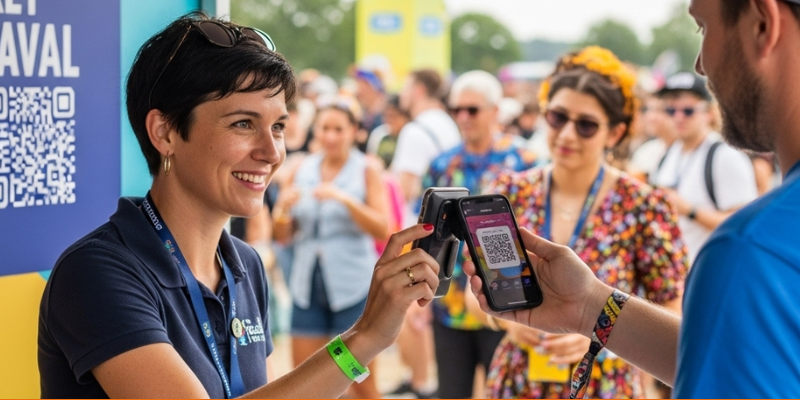

You know the scene. The gates open, the line builds, and somewhere near the front, one guest is squinting at their phone, trying to sign a waiver while everyone behind them shuffles and sighs. Your staff is stretched thin…and the line isn’t getting any shorter.
Here’s the thing: slow check-in usually isn’t really a scanning problem. It’s a bottleneck problem. A small number of guests need additional help at check-in, and your team has only so many hands available to triage and troubleshoot.
The good news is that you can fix a lot of it without adding a single person to your team. Here are four ways to get guests through the door faster.
1. Let Guests Check Themselves In
We recently launched a new Kiosk Mode in the Passage Manager app, where you can set up multiple devices with only check-in enabled. Guests walk up, check themselves in, and keep moving. Since the devices are limited to check-in, there’s nothing else on screen to get lost in.
The real payoff is staffing. One team member can keep an eye on three or more devices, instead of being tied to a single scanner. That’s more guests checked in at once, with the same number of people on your team.
Kiosk Mode is especially handy anywhere a lot of guests arrive at the same time, like festivals, attractions, and timed-entry venues. A quick tip: place your devices somewhere a staff member can see all of them at once.
Want the step-by-step? Check out our help article on enabling Kiosk Mode.
2. Move Waiver Signing to a Separate Line
Waivers are a classic line-killer. If a guest signs at your check-in station, that station is out of commission until they finish…and everyone behind them waits.
We’ve made two updates to help with this:
-
Waiver emails for in-person sales. Instead of only signing on your screen, the customer gets an email and signs on their own device.
-
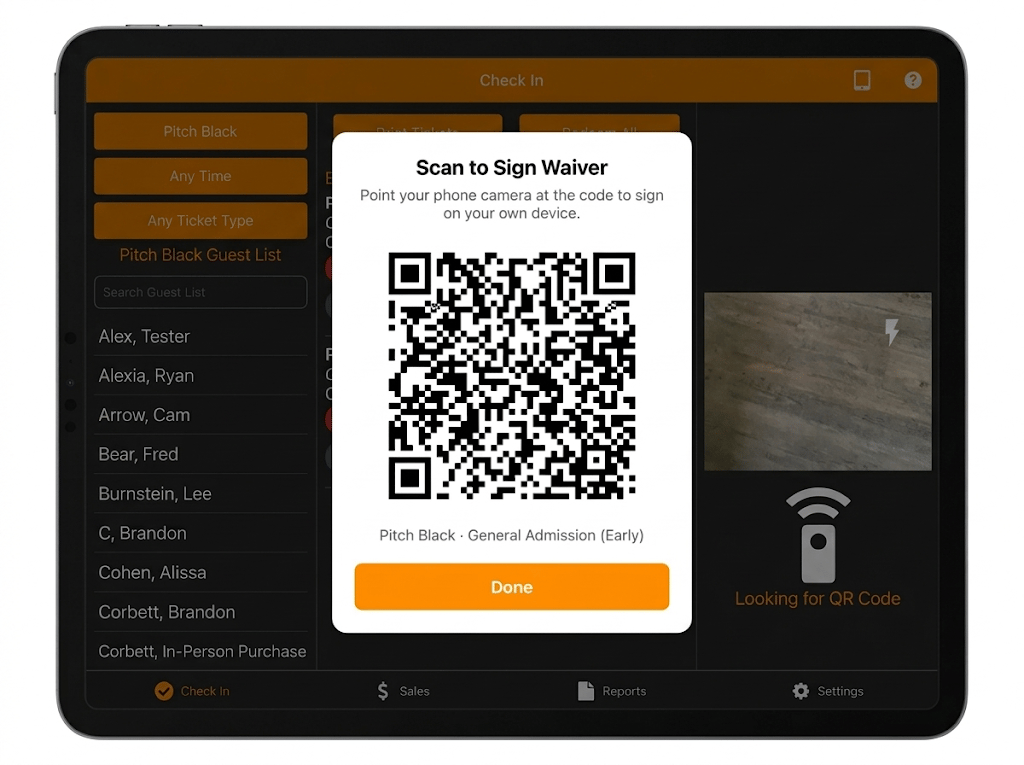
QR code signing. After you sell or scan a ticket with an unsigned waiver, you’ll have a QR code the customer can scan to sign on their own phone.
Either way, the guest steps aside to sign, and the next person steps up. Your scanning station stays free for the people who are ready to go in.
3. Get Waivers Signed Before Guests Arrive
The easiest way to shorten the line is to not have the problem at the gate in the first place. If you’re using Passage, you can set up automatic waiver reminders to go out to guests with any unsigned waivers. That means fewer guests showing up with a waiver still to sign, and fewer slowdowns at the front.
Pro tip: turn reminders on well ahead of your next event, so guests have time to do their job.
Not sure whether your event needs a waiver at all? Our guides on event waivers and liability waivers are a good place to start.
4. Make Unsigned Waivers Impossible to Miss
Sometimes a guest still arrives with an unsigned waiver, and that’s okay. What matters is how quickly your team spots it.
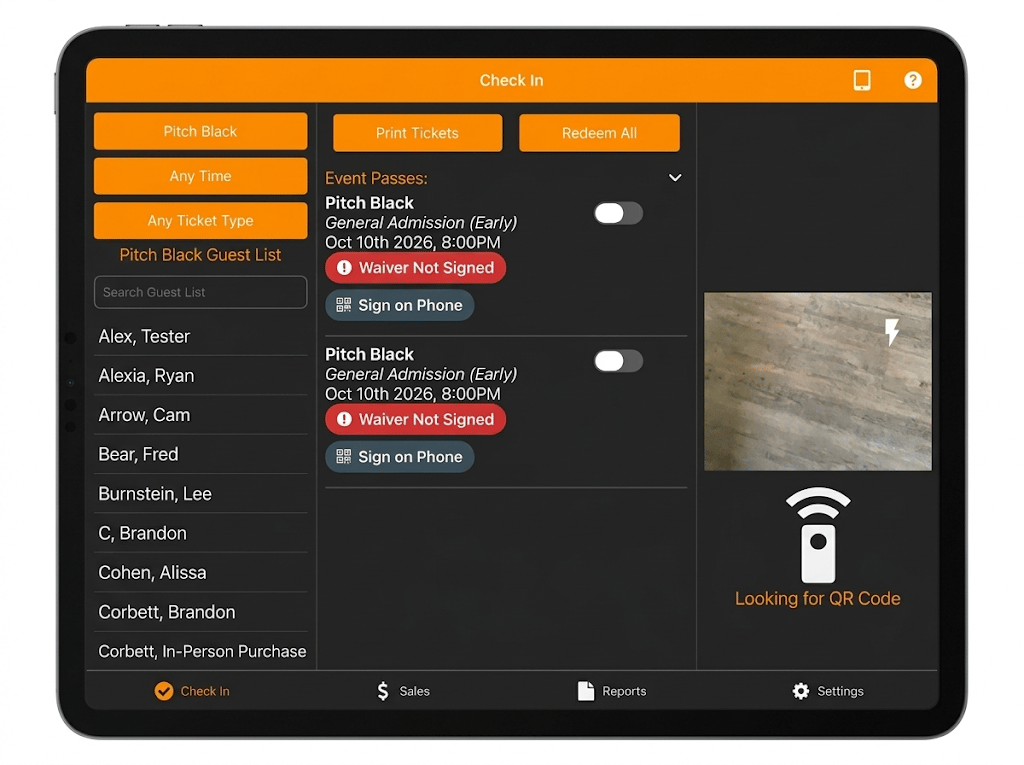
When you scan a ticket in the Passage Manager app, the waiver text is now much larger and fully color-coded to show whether it’s been signed. Staff can tell at a glance, and can send unsigned guests straight to the QR code instead of holding up the line to sort it out.
Bonus: Set Expectations with Color-Coded Time Slots
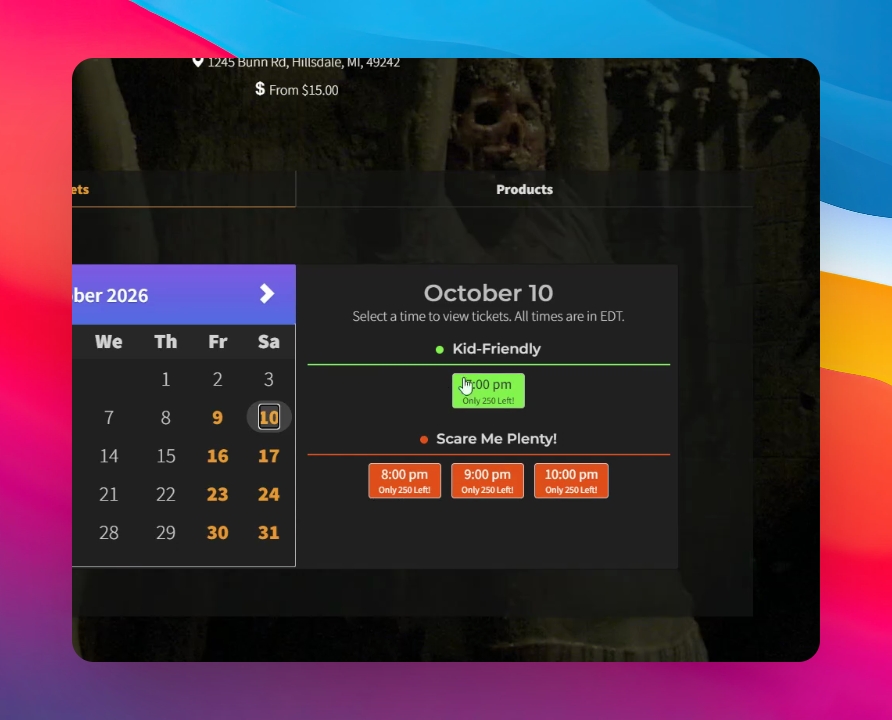
This one won’t shorten your line on its own, but it helps guests know what they’re choosing before they ever show up. You can now add color-coded labels to the time slots on your event to point out major distinctions to your patrons. Check out our help article on color-coded time slots to see how to set it up.
Your Pre-Event Checklist
Want to be ready before your next event? Here’s a quick list to save:
-
Set up your Kiosk Mode devices and do a test run
-
Turn on automatic waiver reminders
-
Try the QR code signing flow yourself, so you know exactly what guests will see
-
Walk your team through the color-coded waiver status on the scan screen
Need a hand with any of it? Hit the chat in the bottom right corner or schedule a call with our support team. We’re happy to help you get set up!